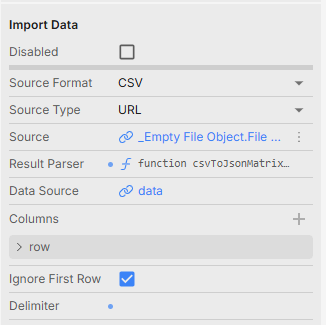
If I have no delimiter declared, it will fail. If I set it to anything (doesn’t matter what delimiter), then it will accept single-column csv files.
Would be nice to have this fixed, as our employees work with both comma and semi colon, and hence the autodetect is a really nice addition.
My workaround is to first have the import data with auto-detect, and if it fails, I will then use a catch exception and try to import once more with a defined delimiter.
If you upload a single-column csv, then the content will be imported as
row 1
row 2
row 3
where there is no delimiter on any of the rows.
My hypothesis is that you probably just need to check if there are any delimiters, and if not, you just return one column instead of throwing an exception saying that you are not able to auto-detect it