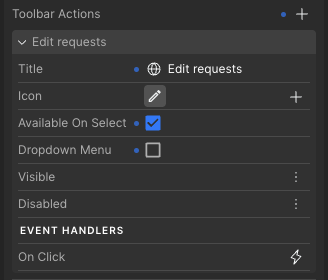
I’ve enabled the toolbar for my table component, which allow users to open a popover to filter different columns. Is it possible to customise the built-in filter menu provided? It does not look particularly nice and it would be useful to override the labels etc.
If customisation isn’t currently supported, I’d like to submit a feature request for this functionality:)
It’s not possible to customize the built-in filter menu, but you can build your own by adding a toolbar action that opens a popover with your custom filter configuration. You can then apply conditional filtering to the table.
I’ve added a feature request for tooltips on custom toolbar actions, as well as for translating the “selection count” label.
As a workaround, you can display your own text showing the number of selected objects in the data source, which you have in your table, in your preferred language. You can use an offset to position it in the same place as the built-in label.